Description
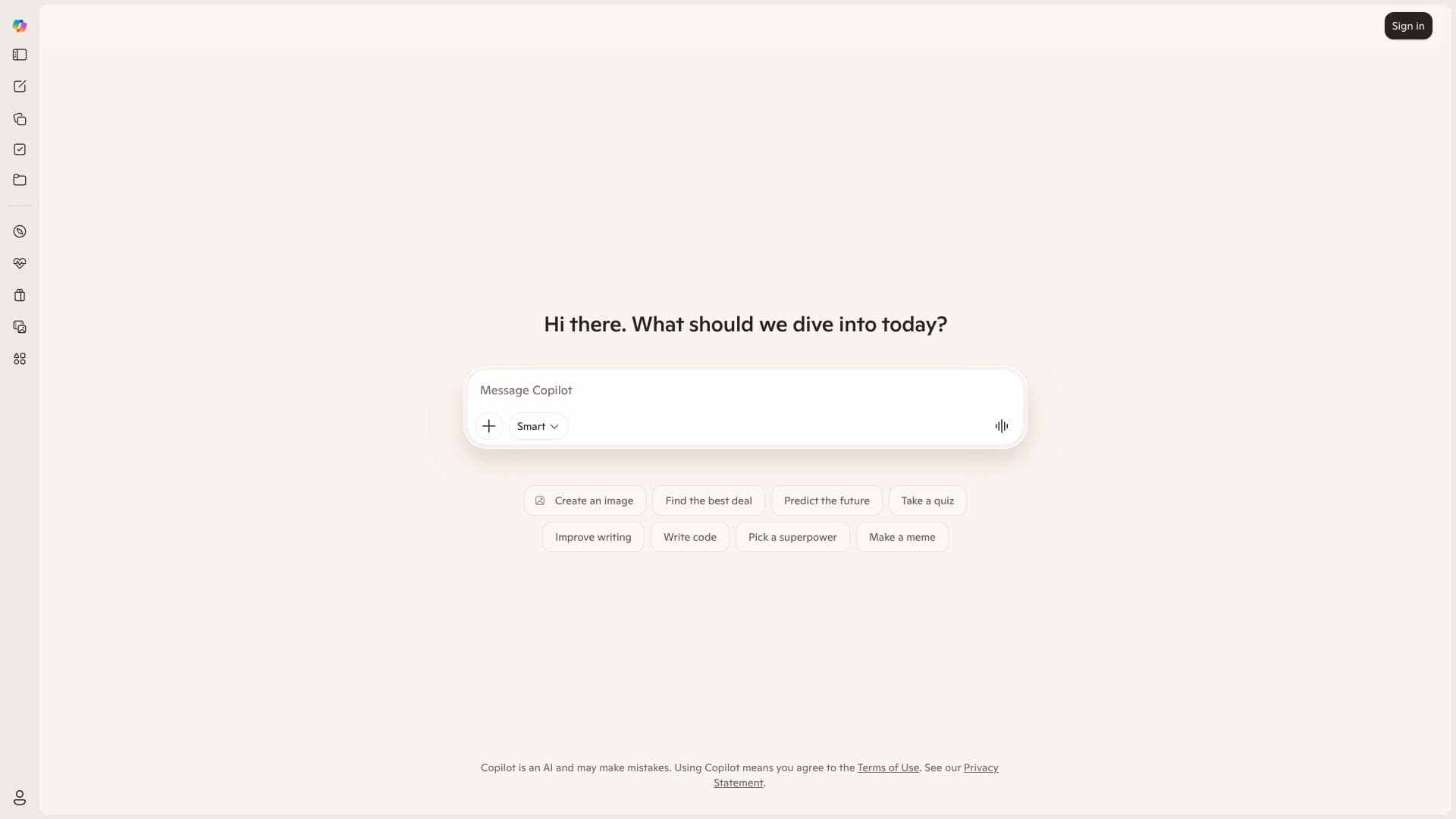
Microsoft Copilot serves as an intelligent AI companion, integrated to assist users across a wide spectrum of activities. Its core purpose is to provide information, spark creativity, and offer entertainment, acting as a versatile digital assistant. Users can interact with Copilot to receive advice, solicit feedback on their work, and obtain straightforward answers to their questions.
The AI is designed to understand natural language prompts, allowing for intuitive interaction. Whether you need help with creative endeavors, technical tasks, or simply want to explore ideas, Copilot is equipped to assist. The platform emphasizes its AI nature, acknowledging that it may occasionally make mistakes, and users agree to the Terms of Use upon engagement.
Key capabilities include smart content creation, such as generating images based on descriptions, and predictive functions like finding the best deals or even predicting future outcomes. For those looking to refine their communication, Copilot can improve writing quality. Developers can leverage its capabilities for writing code, streamlining the development process. Furthermore, Copilot can engage users with interactive elements like quizzes or generate creative content such as memes.
Microsoft Copilot is positioned as a tool for a broad audience, from individuals seeking personal assistance to professionals looking to enhance their workflow. Its ability to adapt to various requests makes it a valuable asset for enhancing productivity, fostering creativity, and simplifying complex tasks. The overarching goal is to provide a seamless and intelligent AI experience that empowers users in their daily digital interactions.
Microsoft Copilot's Core Features
AI-powered assistance for information retrieval
Creative content generation, including images and memes
Writing improvement and feedback capabilities
Code generation for developers
Predictive functionalities for deal finding and future forecasting
Interactive quiz generation
Personalized advice and feedback
Natural language understanding for intuitive interaction
How to use Microsoft Copilot?
Access Copilot: Navigate to copilot.microsoft.com.
Initiate Interaction: Type your query or request into the message bar.
Explore Capabilities: Select from suggested prompts like 'Smart Create an image' or 'Improve writing'.
Receive Output: Review the AI-generated response, image, code, or advice.
Refine and Iterate: Provide further instructions to adjust or expand upon the initial output.
Microsoft Copilot's Use Cases
- Content Creation
- Coding Assistance
- Information Retrieval
- Productivity Enhancement
- Interactive Learning
- Creative Inspiration